








Open Space Waves Unblocked and choose one of the 33 emoji rated levels. Green stages give more room while you learn. Harder stages tighten gaps and stack gears, spikes, and ships. You can start anywhere, including the toughest tunnels, if you prefer to learn under pressure.
Space Waves Unblocked gameplay video
A quick look at the neon tunnels, hold to rise movement, and obstacle rhythm.
What's Space Waves Unblocked game?
Space Waves Unblocked is a fast side scrolling arcade game with one job: guide a glowing arrow through neon space tunnels without crashing. The camera keeps pushing forward. You only move up and down. Hold to rise, release to fall, and stay inside the safe gaps while walls, spikes, spinning gears, and enemy ships crowd the route.
Most players get the controls after the first run. The harder part is staying focused once obstacles and shooters fill the tunnel. Space Waves Unblocked rewards calm hands and quick timing more than wild swings. Retries are quick, so short sessions work well. Open a stage, take a few attempts, learn the spacing, then either clear the finish or push farther for score.
From the level select screen you can open any of the 33 emoji rated stages. There is no long unlock chain. Green stages leave more room and friendlier angles, which makes them the best place to learn the wave rhythm. Harder stages tighten the gaps, stack moving parts closer together, and punish a late reaction with an instant crash. You can practice easy routes for confidence or jump into a brutal layout when you want a fast challenge.
On PC, hold the left mouse button, W, or Space to climb, then release to drop. On mobile, tap and hold the screen to rise and let go to fall. Tap to fire your laser at enemy spaceships. Space Waves Unblocked does not use left and right steering like a top down shooter. Because movement is vertical only, keep your eyes a little ahead of the arrow. Staring at the icon alone usually leaves you late for the next spike cluster or gear window.
Every hazard shares one rule: one hit ends the run. Walls and spikes punish bad height. Spinning gears force you to wait for a safe opening instead of charging straight through. Enemy ships appear periodically and shoot at your arrow, so destroy them for points or dodge their fire while you clear the gaps. Power ups can boost firepower, grant a brief invulnerable window, or slow the action long enough to reset your line. Grab them when the path is clear. Chasing a pickup through a bad gap often costs more than it returns.
The same hold and release feel carries across modes, but the goal changes. Classic stages ask you to clear a tunnel and hit the finish line, where clean lines beat raw speed. World Mode 1 is the softer intro world with wider routes, fewer stacked threats, and a fixed endpoint. It is the best place to settle your timing before harder scores. Endless removes the finish line and keeps hazards coming until you crash, which fits distance runs and rapid retries. Some builds also include a Race mode where pace matters more and small mistakes cost positions. Start in World 1 if you are new to Space Waves Unblocked, then switch to Endless when you want a pure reflex test.
Wave movement has a beat once you know a stage. Obstacles sit on spacing you can learn. After a few runs, you start reacting a little early instead of waiting for the last pixel. Short taps keep you centered when gaps are narrow. Longer holds help climb tall vertical stretches, but they leave less room to recover if the tunnel dips suddenly. Later levels punish big swings. Small corrections usually work better than dramatic climbs that overshoot the opening.
The look is bright neon on dark space backdrops, with music that picks up as the pace rises. That clarity helps when you need to scan gears, spikes, and ships in one glance. Some builds also let you tweak arrow color, trail effects, or shape as you play more. Treat those cosmetics as optional flair. The core loop of Space Waves Unblocked stays the same: read the tunnel, keep the wave smooth, finish classic stages, or push farther in Endless.
Emoji difficulty ratings help you pick a fair starting point. If a stage keeps ending your run in the first third, drop back to an easier tunnel, learn the rhythm there, and return when your hands know what to expect. After a crash, replay the same level right away while the obstacle order is still fresh. If you fail the same spot five times in a row, step away for about thirty seconds. Timing often resets after a short break. In crowded sections, use quick zigzag taps instead of one long hold that overshoots the gap.
Look slightly ahead of the arrow, not only at the icon itself. That gives you more time to plan the next opening. Keep your holds intentional. A short press is enough when the tunnel is tight. Save longer holds for tall climbs where you already see a safe height ahead. When ships and gears overlap, decide early whether you will shoot or dodge. Trying to do both at once usually ends the run.
People look for Space Waves Unblocked when downloads, installers, or heavy gaming portals are off limits. This page runs in a normal browser tab: open it, tap Play, and you can start a run within seconds. Nothing installs to the device, and nothing stays behind after you close the tab. That is why Space Waves Unblocked fits between classes, during lunch, or in a quiet moment when you only have a few minutes. Follow local rules where you play. The appeal is still the same: a reflex arcade you can open and close without setup.
Session length is up to you. Some players clear one green stage and stop. Others stay in Endless and chase a personal best until the tunnel finally wins. Because every stage in Space Waves Unblocked is selectable from the start, you can build your own warm up path: one easy tunnel for rhythm, one mid stage for pressure, then one hard layout as a tougher check. That freedom keeps practice useful without forcing a campaign grind.
How smooth the game feels depends on your device, browser, and network. On this page you click to load Space Waves Unblocked in the frame and play from there. If you want another neon tunnel challenge next, the related picks below stay on this site.
Whether you are clearing emoji rated stages or pushing distance in Endless, Space Waves Unblocked stays easy to read under pressure: bright neon, clear hazard shapes, and a wave you can practice until the spacing feels familiar. Start light, raise the challenge when you are ready, and keep retries short so each crash still teaches something useful.
How to Play Space Waves Unblocked
1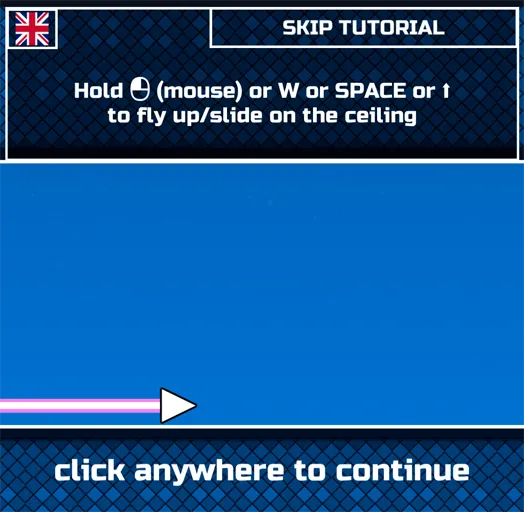
1. Launch and pick a stage
2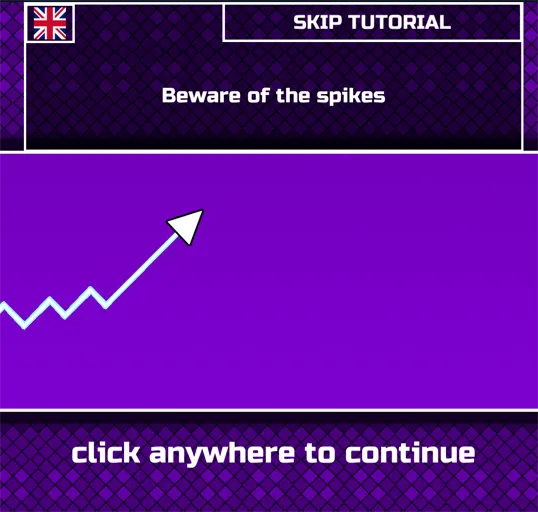
2. Hold to rise, release to fall, and fire
On PC, hold left mouse, W, or Space to climb, then release to drop. On mobile, hold the screen to rise and let go to fall. Tap to shoot enemy ships. Keep your eyes ahead of the arrow so walls and gears do not surprise you.
3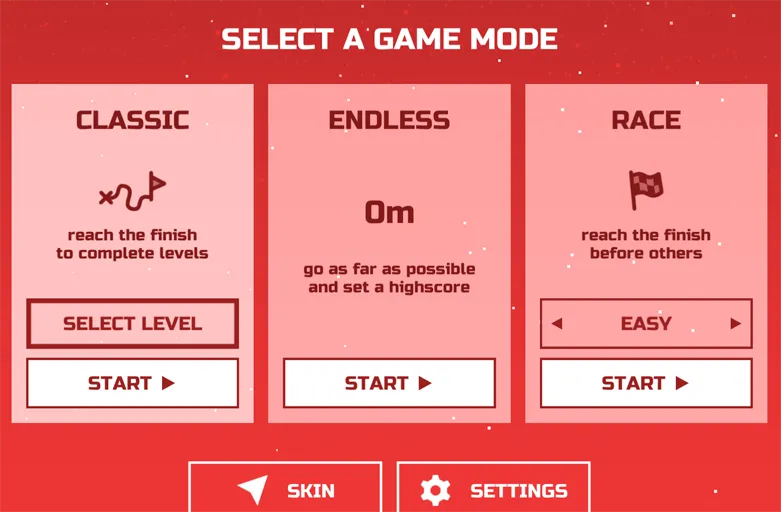
3. Clear classic stages or push Endless distance
In classic and World Mode 1 runs, finish the tunnel without crashing. In Endless, survive as far as you can while hazards keep coming. Use power ups when the path is safe, make small corrections in tight gaps, and replay a stage right after a crash while the rhythm is still clear.
FAQs about Space Waves Unblocked
Hold left mouse, W, or Space on PC to rise, then release to fall. On mobile, hold the screen to climb and let go to drop. Tap to fire at enemy ships.
There are 33 emoji rated stages, and you can select any of them from the start. Green stages are friendlier for learning; harder stages pack tighter gaps and more hazards.
World Mode 1 is the intro style world with wider tunnels and a finish line. Endless has no fixed endpoint, so you chase distance and score until you crash.
Walls, spikes, and spinning gears end a run on contact. Enemy ships shoot at your arrow; destroy them for points or dodge their fire while you clear the tunnel.
Look ahead of the arrow, use short taps instead of long holds in crowded sections, replay the same stage after a crash, and take a short break if you keep failing the same spot.